วิธีการซื้อ Moonstone
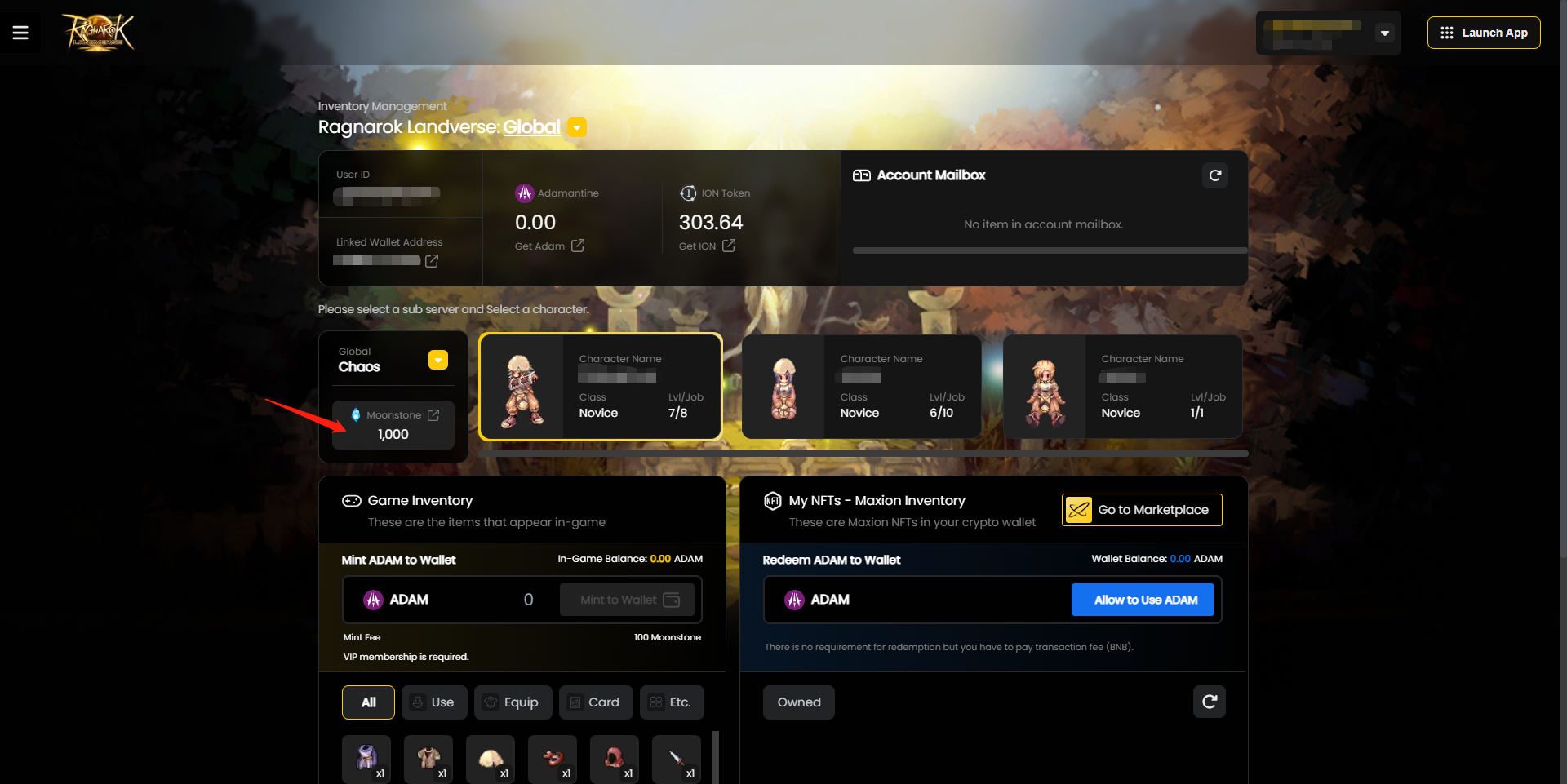
หากต้องการซื้อ Moonstone ให้คลิกที่ปุ่ม Moonstone ตามที่ระบุด้านล่าง
-
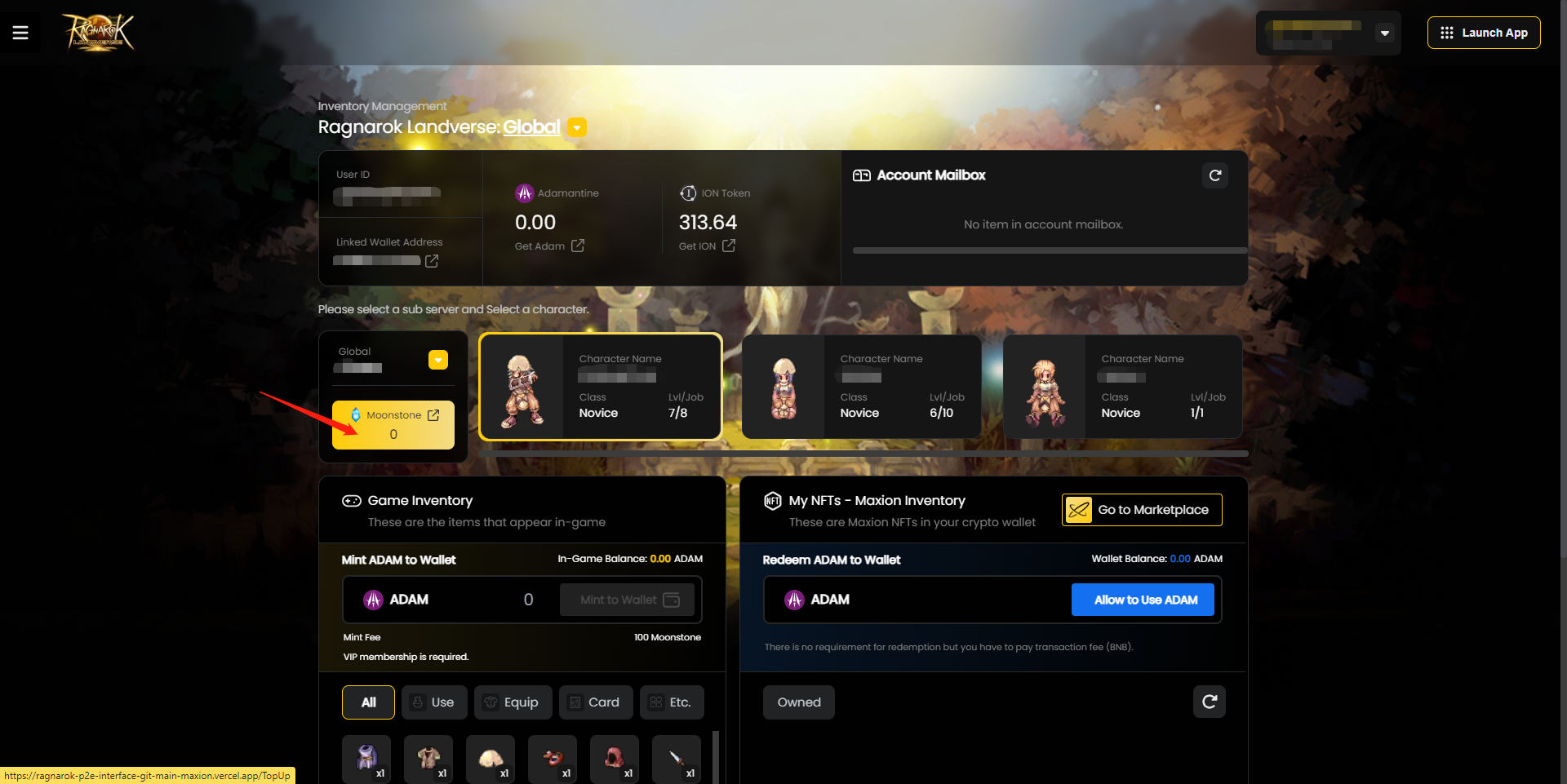
คลิกปุ่ม [Connect Wallet] เพื่อเริ่มต้น
-
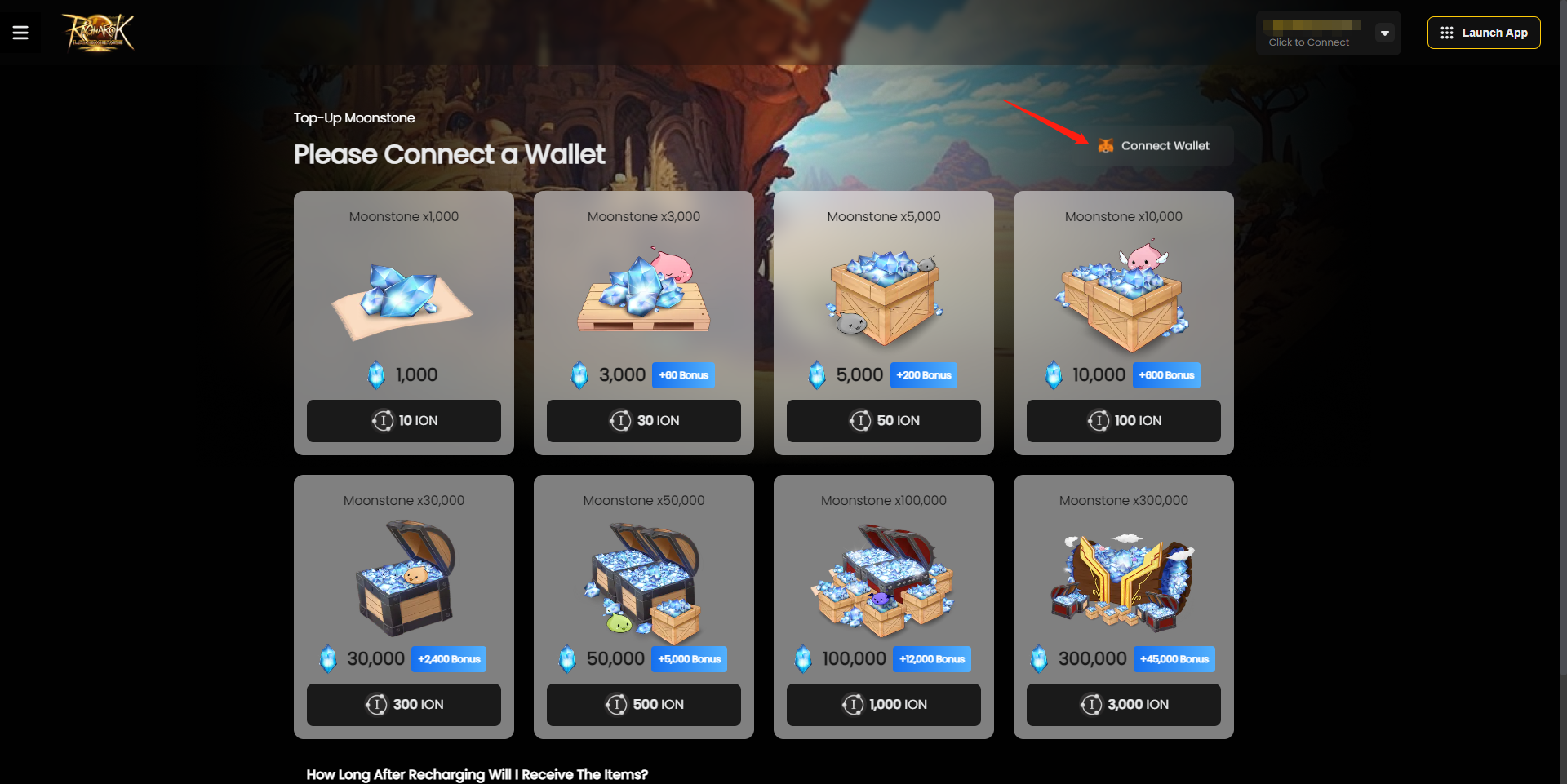
เลือกแพ็กเกจเติมเงินที่คุณต้องการซื้อ
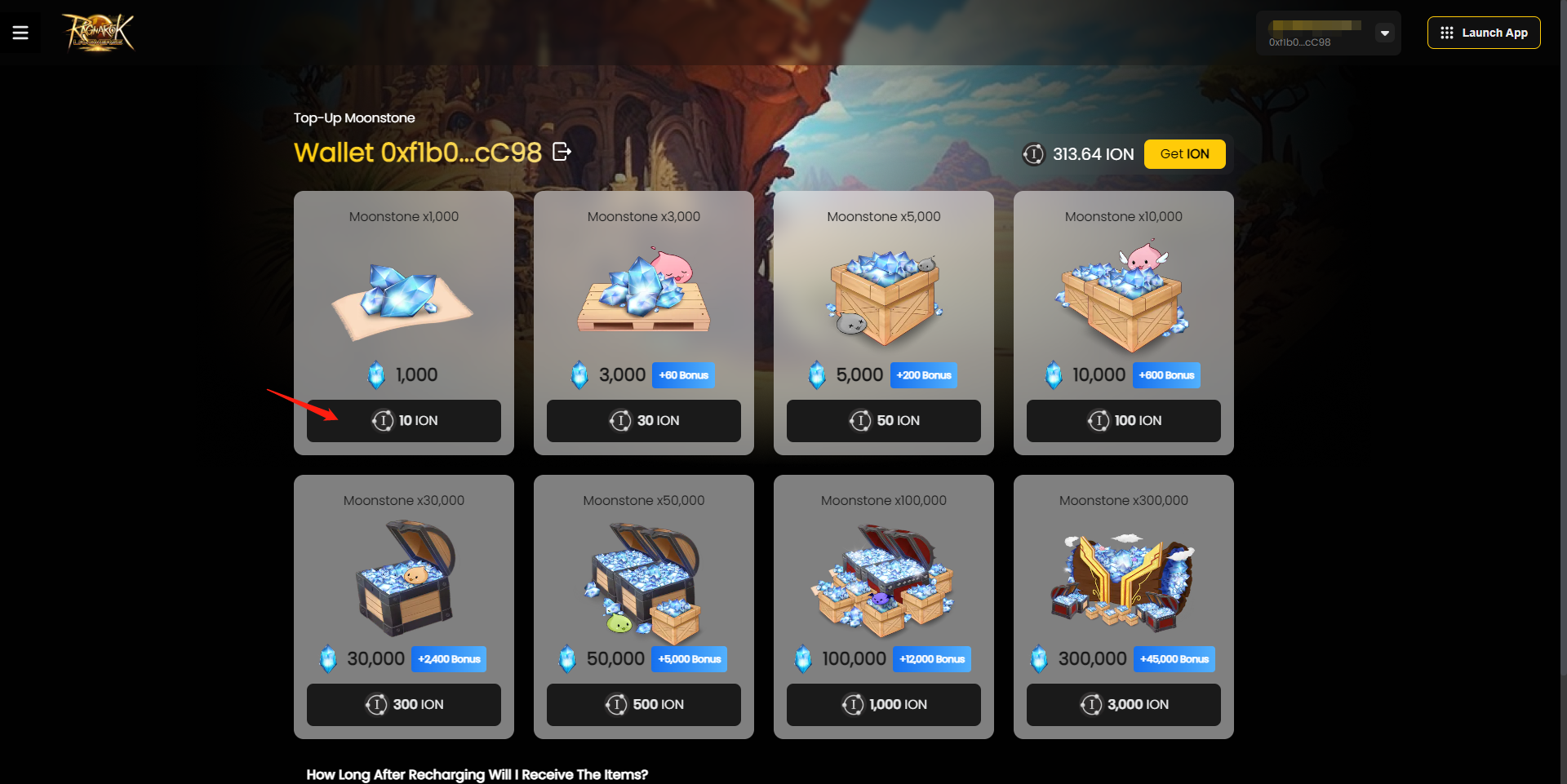
สิ่งสำคัญ: คลิกที่ไอคอน [>] ทางด้านซ้ายหากคุณทำการซื้อ Moonstone ครั้งแรก!
For first time Moonstone purchases, players must authenticate their approval for Moonstone purchases on the top-up page.
Follow the steps as indicated below:
-
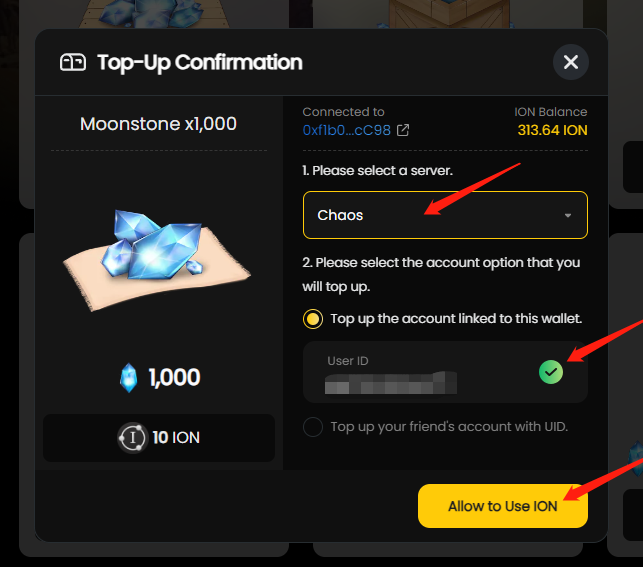
After clicking on any selected Moonstone Package, a popup with the [Allow to Use ION] button will appear.
-
Select your game account server, ensure the game ID is correct and click on [Allow to Use ION].
-
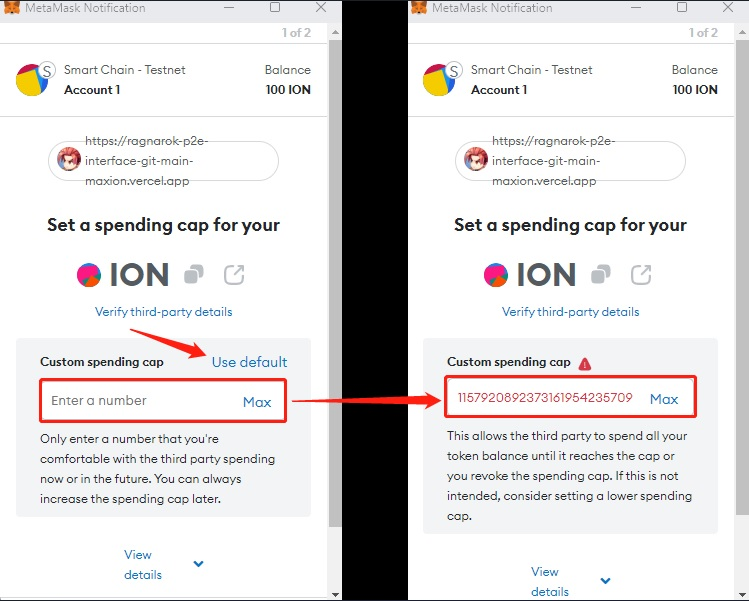
A Metamask popup notification will appear. Click on [Use default] and click [Next] button to close the metamask notification.
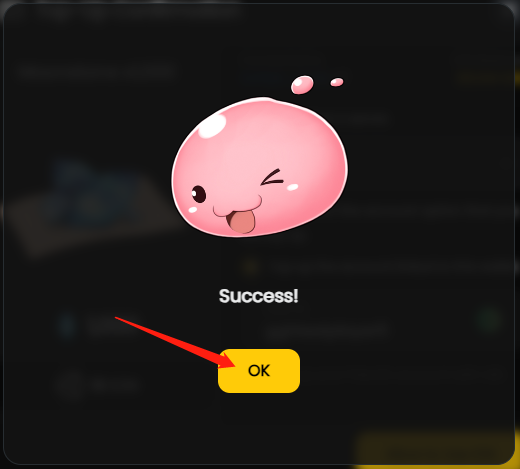
Once the authentication to use ION for payment transaction is completed, a popup will appear. Click [Ok] and you will be able to continue with your first Moonstone purchase!
-
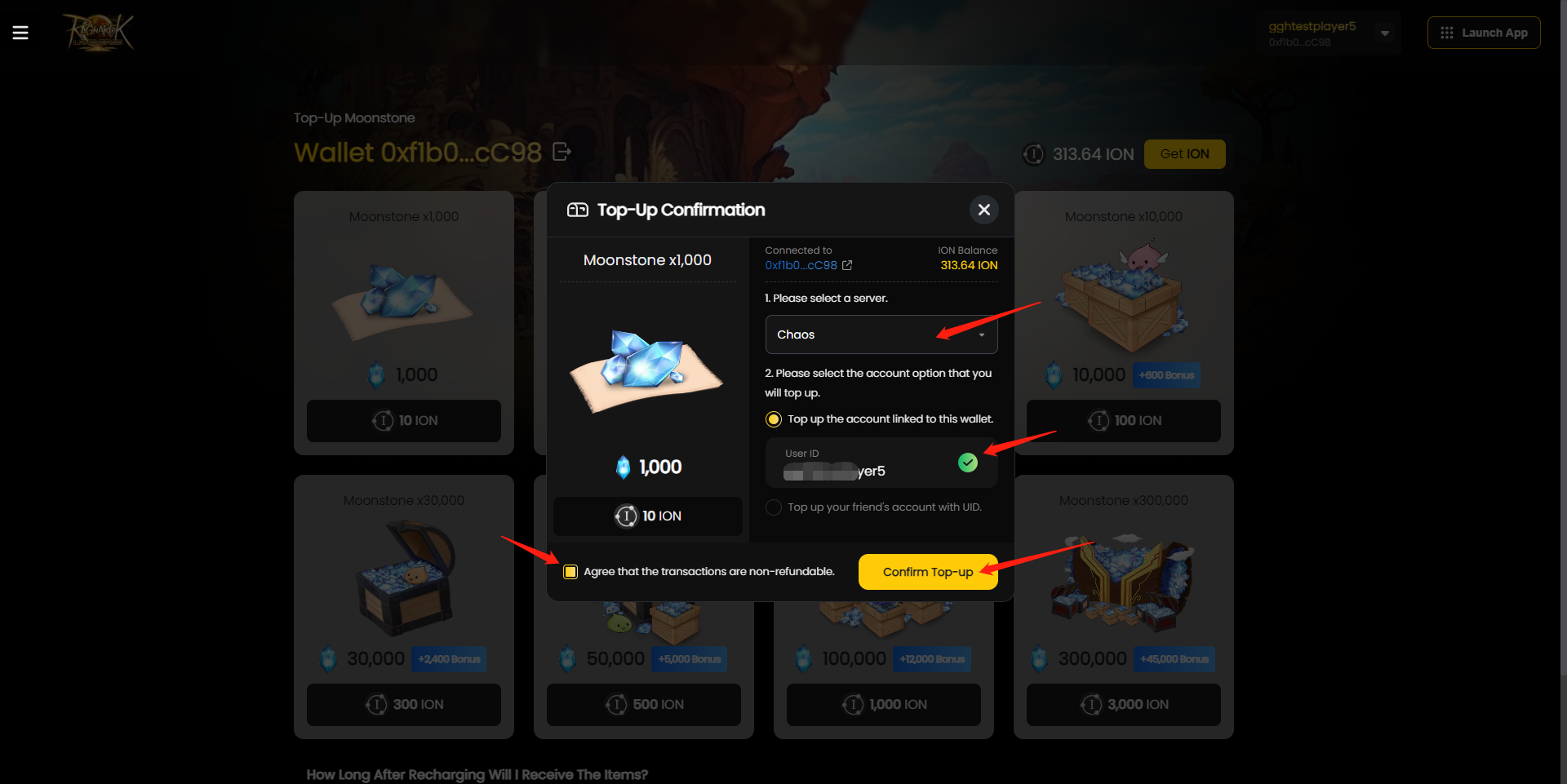
ตรวจสอบให้แน่ใจว่าได้เลือกเซิร์ฟเวอร์และ ID ผู้ใช้ที่ถูกต้อง
-
คลิกที่ช่องทำเครื่องหมาย [ยอมรับว่าธุรกรรมไม่สามารถขอคืนเงินได้]
-
คลิกที่ [Confirm Top-up] เพื่อดำเนินการต่อ
-
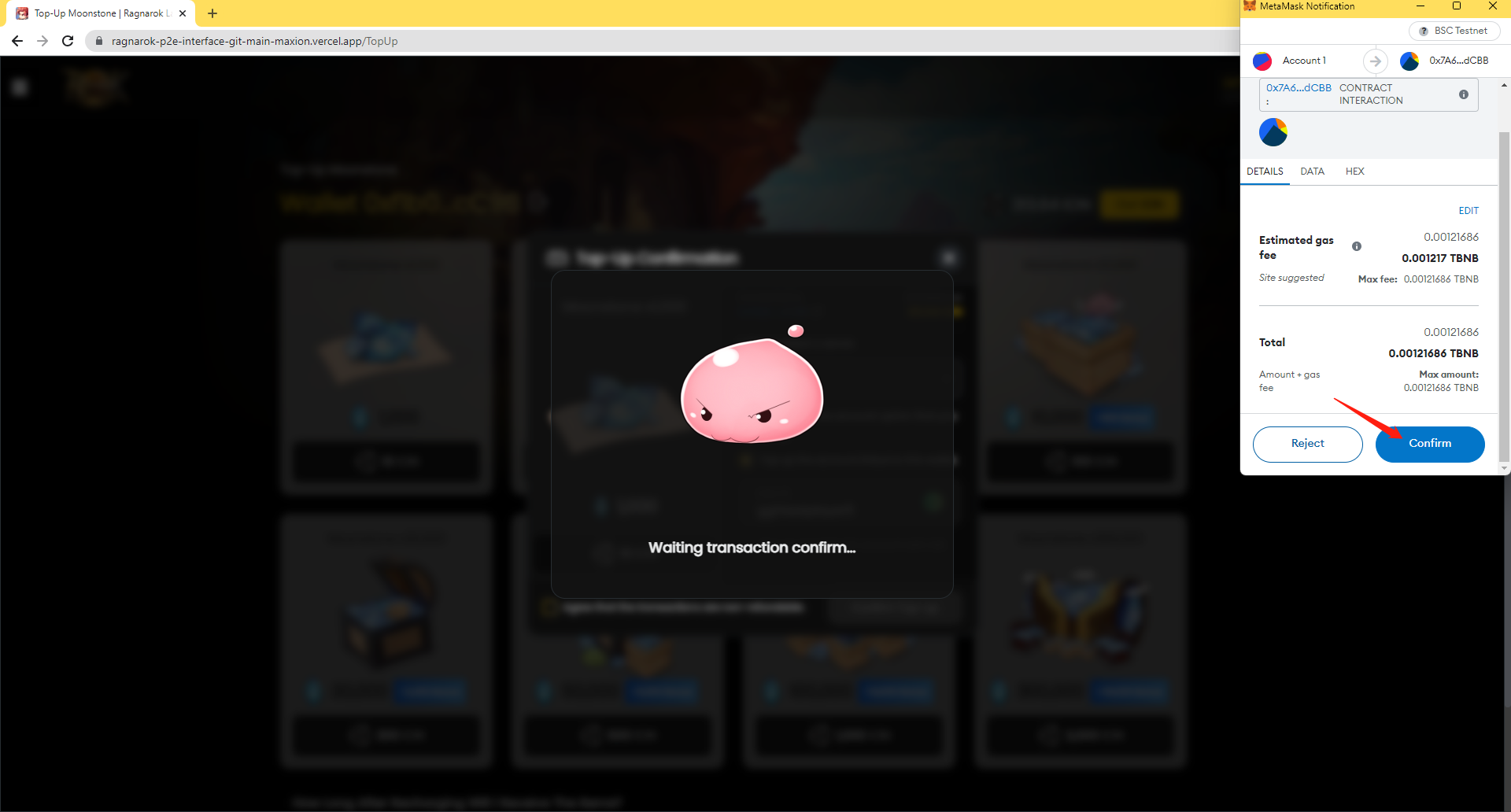
คลิกที่ปุ่ม [Confirm] เพื่อตรวจสอบการทำธุรกรรม
-
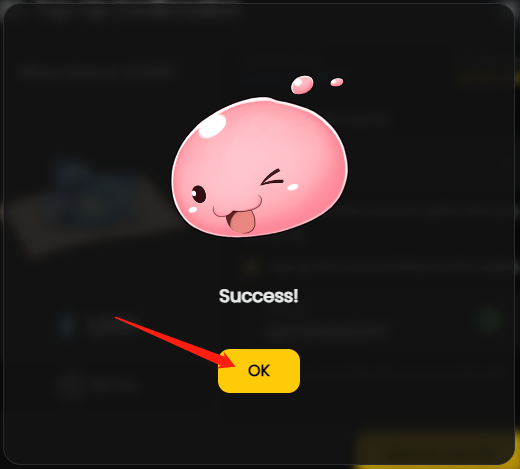
เมื่อทำรายการสำเร็จจะมีป๊อปอัปปรากฏขึ้น คลิก [Ok] เพื่อดำเนินการต่อ
-
Moonstone ที่ซื้อจะแสดงในบัญชีเกมและซิงค์กับบัญชีในเกมของผู้เล่นโดยอัตโนมัติ Moonstone ที่ซื้อมาจะใช้ได้กับตัวละครทุกตัวที่สร้างบัญชีเกม